
What is the Blackboard?
How to beautify your Blackboard?
- Click the “Add plugins” buttton at the left-up conner of the root page;

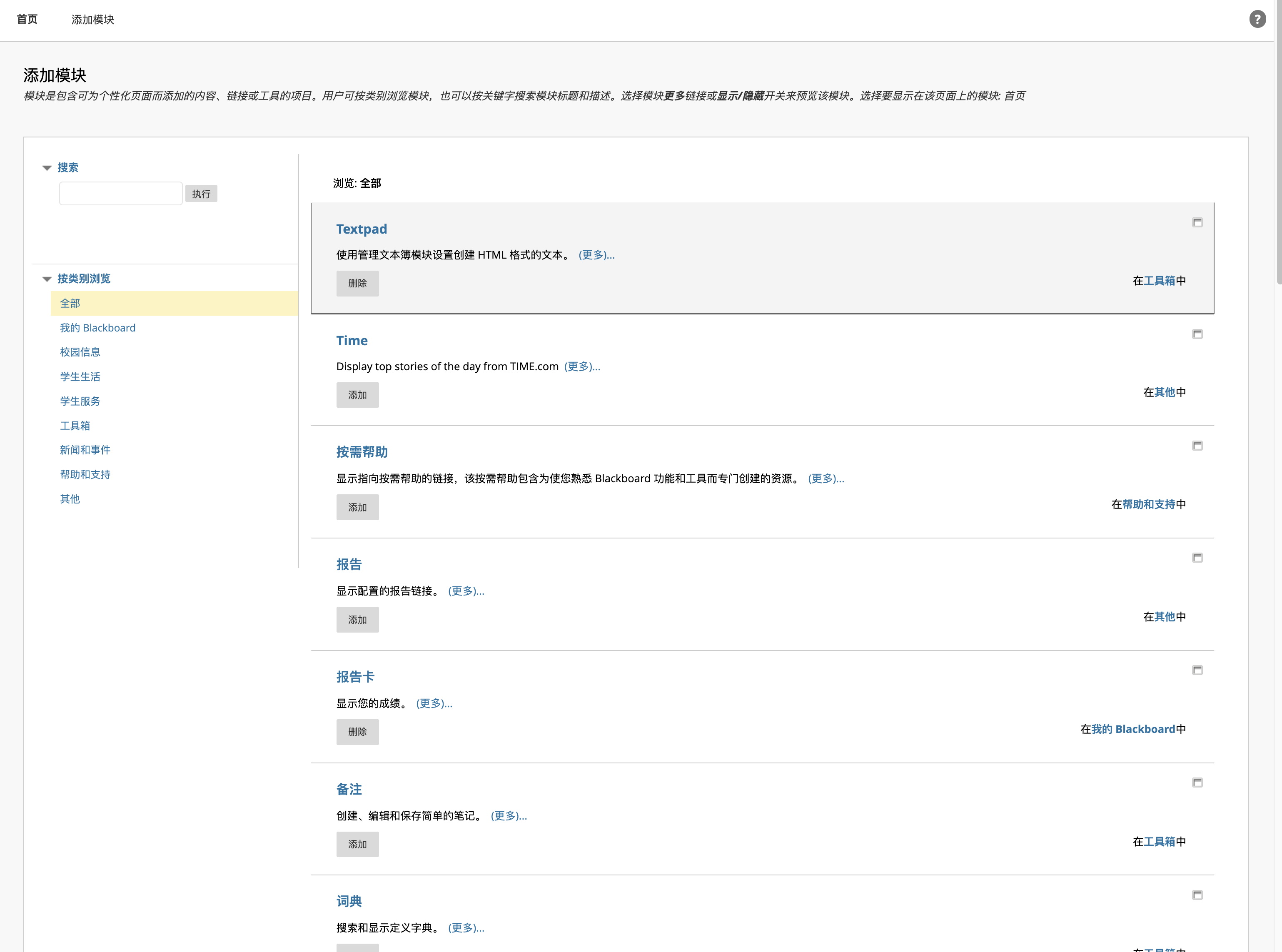
- Add some plugins you like, of course including Textpad;
- Return to the root page, click the “Setting” icon at the right conner of the Textpad;

- Input your html code.
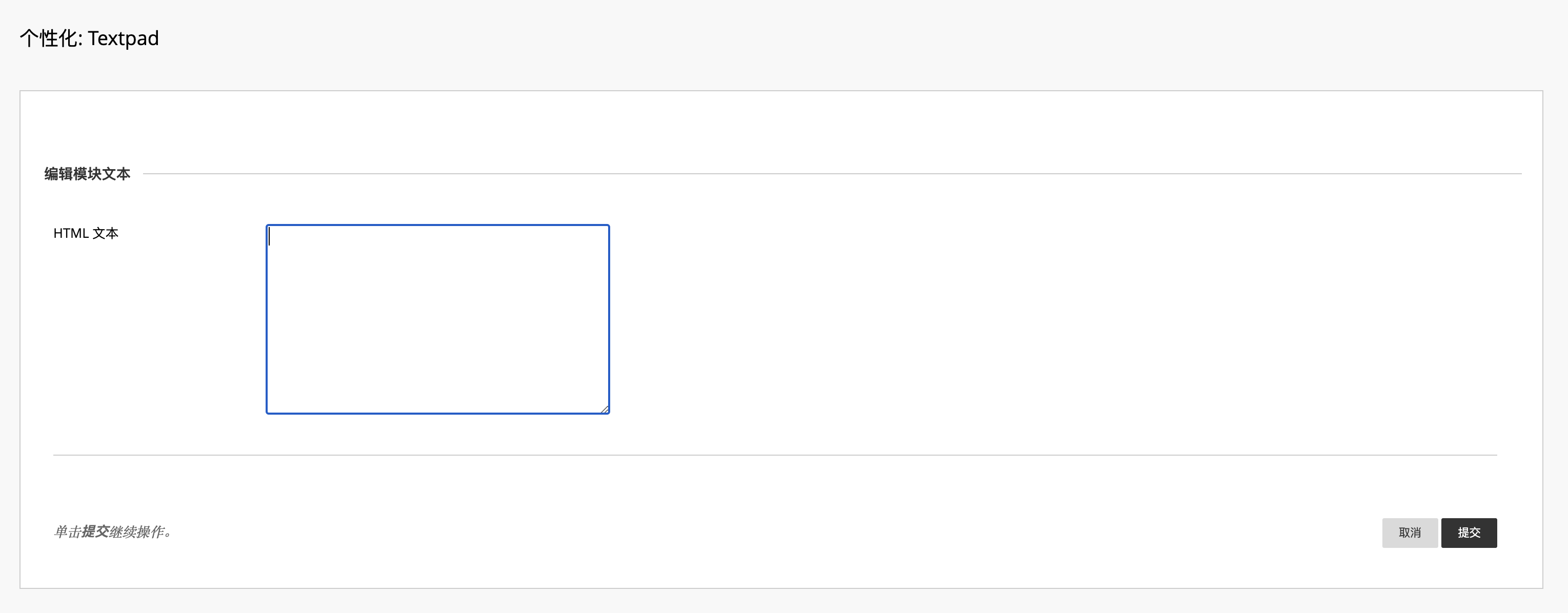
If you haven’t not learn about html, you can use my demo:
<!DOCTYPE html> <html lang="en"> <head> <meta charset="UTF-8"> <meta name="viewport" content="width=device-width, initial-scale=1.0"> <title>图像画廊</title> </head> <body> <header> <h1>我的图像画廊</h1> </header> <section> <h2>精选图像</h2> <img src="your image url" alt="描述第一张图像" width="500"> </section> </body> </html>
html
[!NOTE]
Remember to replace the image link by your favorite pictures or you can use following API to genrerate random pictures. Then scale your pictures to the perfect size by adjusting the width.
Random picture API
Loliapi
                    https://www.loliapi.com/acg/
                    url
If you need more information, you should vist https://docs.loliapi.com/.
Yifan’s API
                    https://beuatifyblackboard.azurewebsites.net/generate-image
                    url
A tiny WebApp on Azure powered by Flask, which integrates picture and text content. Due to the usage limit of Azure, you are not supposed to use it. You can build similar API yourself.
Bulid your own API
Since the Blackboard use https, your API should support https, or your browser may block your request.
Summary
Above all, we are talking about how to use the Textpad to beautify our Blackboard. One of the advantages is that it does not require any JavaScript or any browser plugin, which guarantees its security.
Preview: